Property values mode
This video bar will display property values for the selected object or for the scene, showing how and when the varying properties change throughout the sequence.

Scene properties
Select Scene properties at the top of the object listobject list to see the scene property values across the sequence.
Scene properties always span the whole sequence, so every row is filled from the first to the last frame.
Static scene properties show as one bar across the timeline and as a chip above the bar. Varying properties are split into segments at each frame where the value changed.
Source-specific properties show the values for the source you have in focus, so switch the camera to review the rest.
Colors
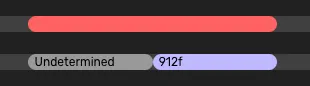
The property bar shows the name of the property, the value and when the value has been changed.
Change in property value
Each change/ edit to a property value receives a new color. The colors are NOT assigned to a specific value. So a value changed from A->B will not share the same color as B->A. The color only indicate that there has been a change in value not what that value is.

Error, undetermined, and object not visible
A red bar means a required property has no value in those frames.
A light grey bar means an optional property has been left undetermined, which is allowed.
A dark grey bar means the object is not visible in that or those frames.
Related content
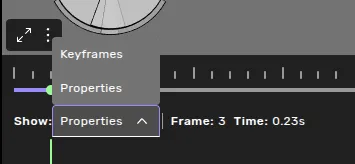
Switch to the Keyframes mode
Learn more about the video bar Video bar actions & settings