Tracking assist in 3D
Tracking assist is available when annotating 3D boxes in sequences.
When you have annotated two frames, this feature will automatically start extrapolating the object's position after the last keyframe or before the first keyframe. Clicking on the predicted box will update the object's location to that of the prediction. You can also use the keyboard shortcut 'accept copilot prediction' to update the object's location (default shortcut R). High-frequency data (> 5 Hz) allows for better tracking.
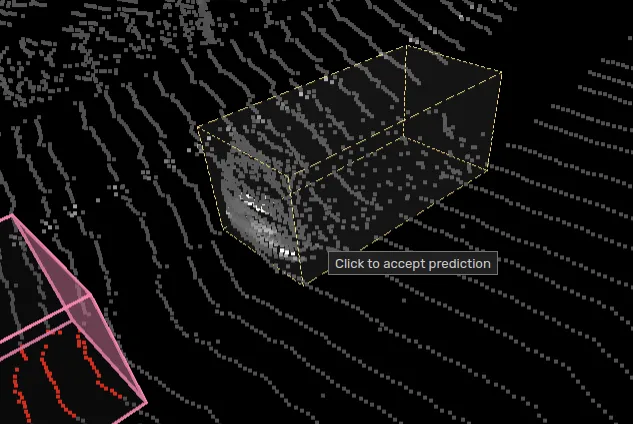
Using the "Follow selected object" camera mode will follow the predicted box helping you with navigation to the object in the scene.
Drawing process
Annotate an object in a frame where it's visible.
Step 1 frame forwards or backwards.
Translate and rotate the object to fit the new location.
Stepping forwards or backwards in the sequence now will show the tracking assist box.
Step a few frames forward or backwards, click on the predicted box to accept it - quickly transforming the 3D box to the new location. Auto-adjust object (3D) will be used if configured as well.
Repeat step 5 until you're done.
