Sensor display settings
When there are point clouds from multiple sensors in the scene, you can switch the individual sensors on/ off in the sensor display setting window.
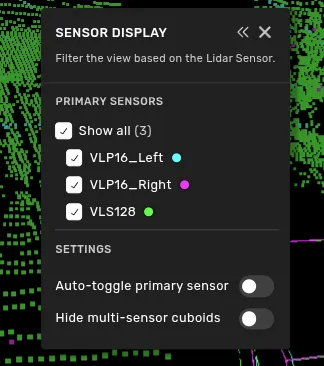
This window will be open when entering a multi-sensor task, but if you close it and want to open it again, you can do so through the left toolbar menu.
Enabling "Auto-toggle primary sensor" will cause the view to only show the currently selected primary sensor for the selected object.
Hide multi-sensor cuboids will hide the additional boxes produced by the multi-sensor capability. Useful if they are distracting during the annotation process.
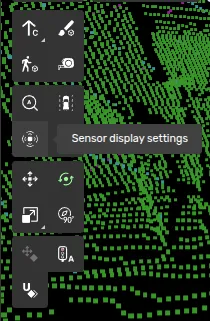
You are also able to toggle sensors on and off in other color modes than 'Sensor coloring' as long as you have the sensor display setting open. Closing the settings window will show all sensors again if you have a different point cloud color than 'Sensor coloring' selected.