Classify with 2D polygons
This feature can only be used when you have a task with 2D polygons connected to 3D classifications.
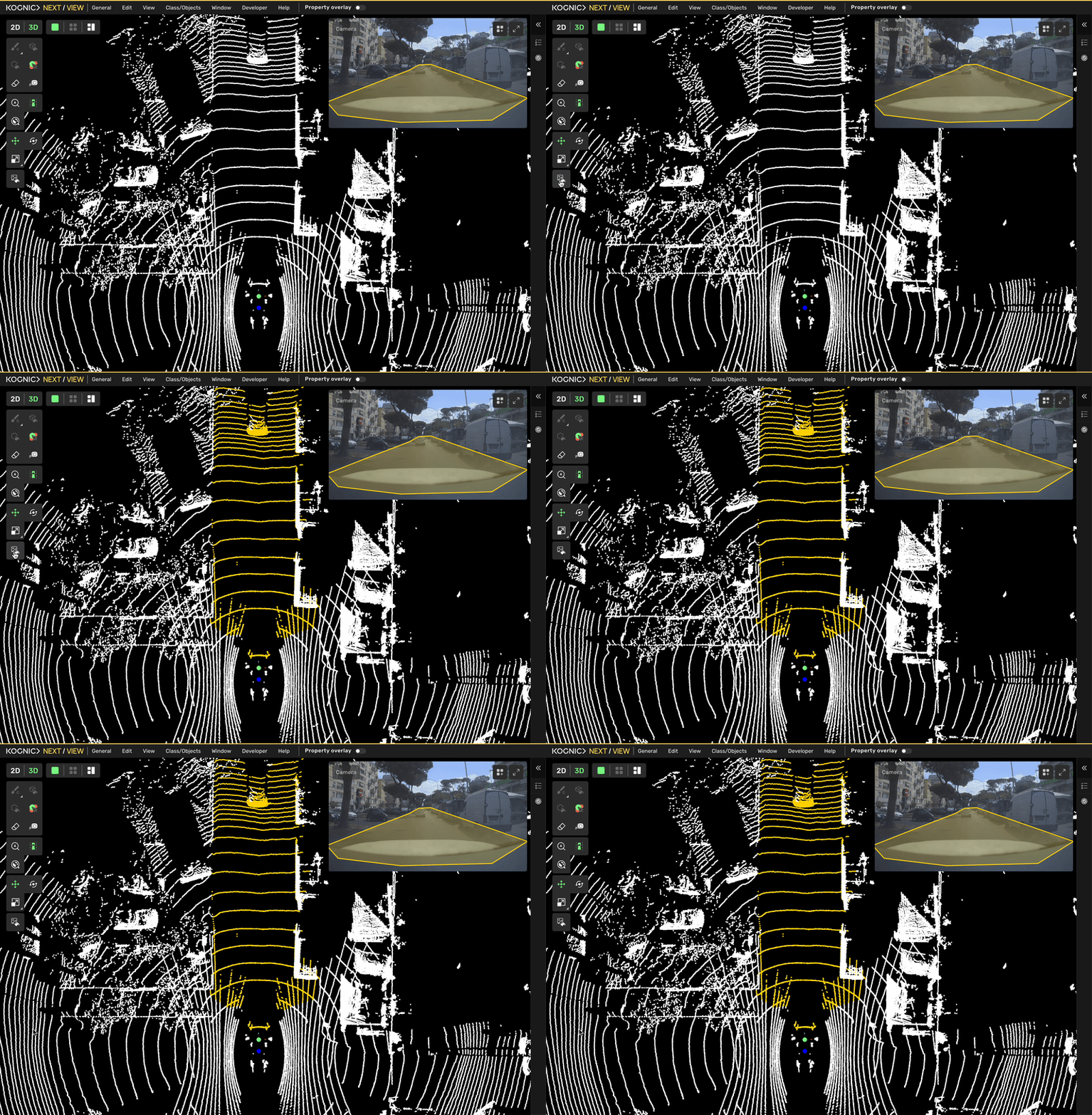
After annotating 2D polygons, go to the 3D view and activate the tool. It will automatically classify all points in the point cloud that match each polygon.
How to use the tool
Create 2D polygon annotations in a camera view
Switch to the 3D view
Click Project polygons to 3D in the 3D toolbar
When to use the tool
Use this tool when you have drawn 2D polygon annotations in a camera view and want to classify the corresponding points in the 3D point cloud. Instead of manually painting each region in 3D, you can project all polygons from the current camera view at once, and each polygon's points will be classified with the corresponding classification ID.
This is especially useful for fusion annotation tasks where you need to annotate the same objects in both 2D and 3D. Drawing polygons in 2D is often faster and more precise, and this tool lets you leverage that work to bootstrap the 3D segmentation.