Point slicing
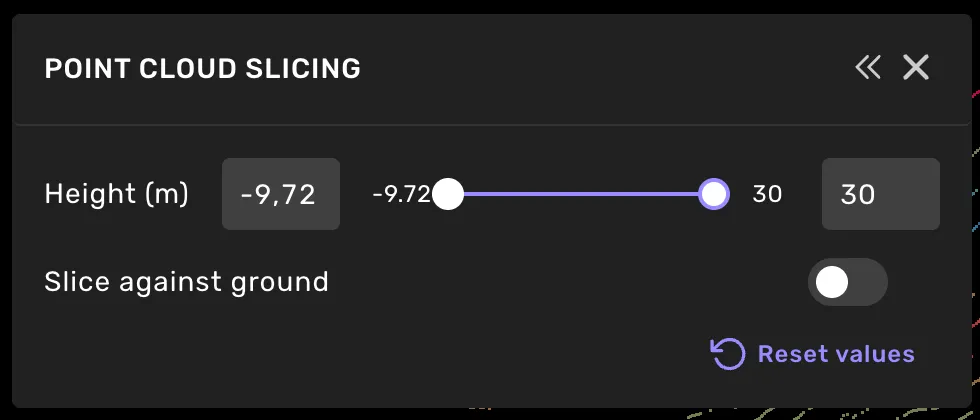
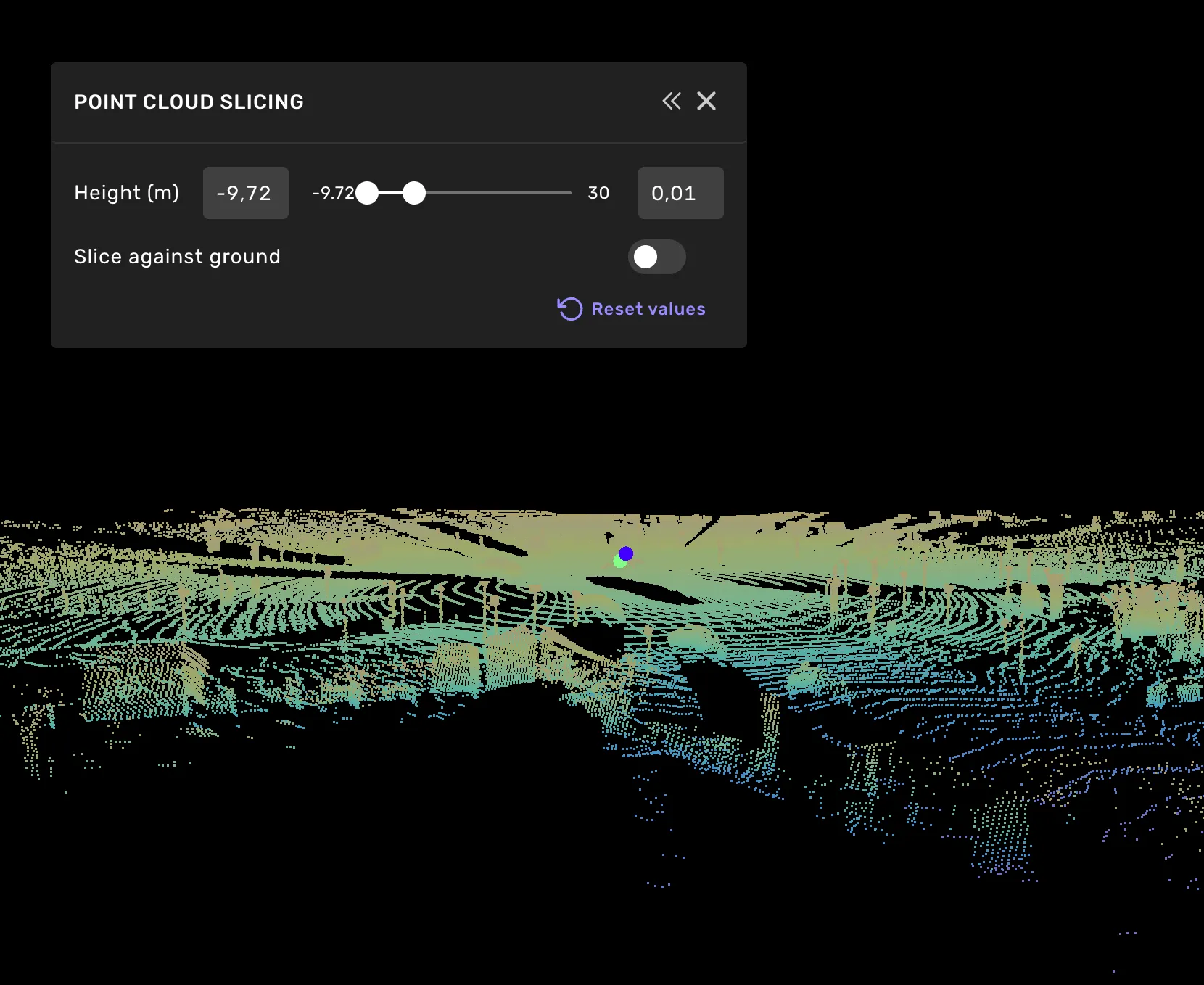
In the main view and top view, you can slice the point cloud vertically.
Hold Ctrl and scroll to adjust the max slicing value. Hold Ctrl and Shift while scrolling to adjust the min slicing value. For smaller, more precise adjustments, hold Alt while scrolling.

You can also change the vertical point cloud slicing from the top menu. Select Window -> Point cloud slicing... to open the Point Cloud Slicing settings.
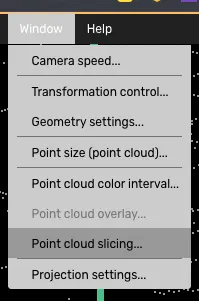
The Point Cloud Slicing window
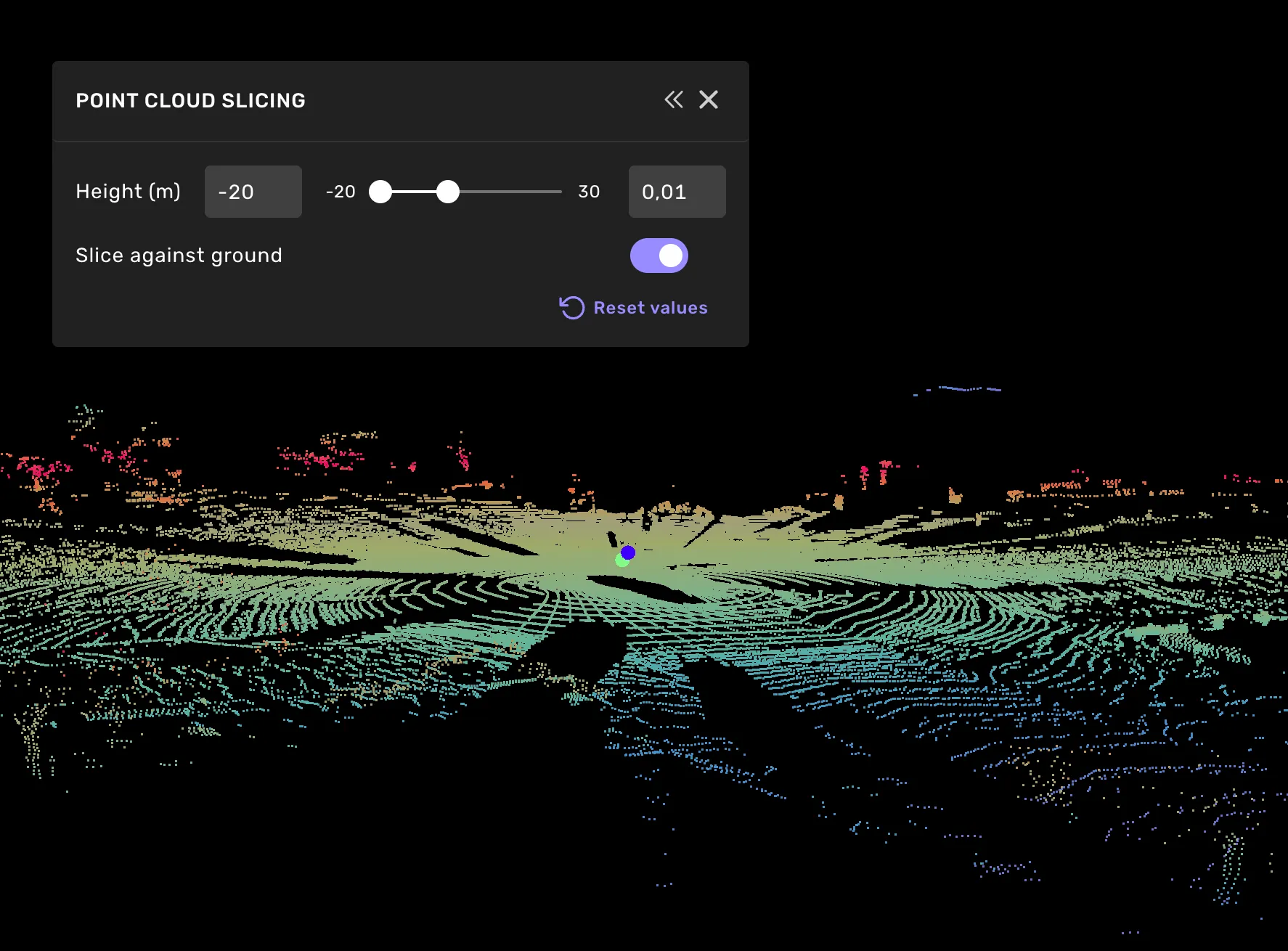
Turn on Slice against ground in the Point Cloud Slicing settings to measure the slicing range as height above the detected ground instead of a flat height. This keeps the cut parallel to the road, so lowering the max value to around 0.3 m leaves only the road surface, even on slopes and hilly roads.
The toggle is available once ground detection has found the ground in the scene; until then, hover it to see why it is disabled. In 3D segmentation tasks, points hidden by the slice are not classified when you paint or box-select. Slice against ground turns off when you move to the next task.
Slicing in the grid view and side cameras
In grid view and the back and right side cameras, you can also slice the point cloud in the direction that each camera is looking in. Similarly to the main view and top camera, holding ctrl and scroll allows you to place the camera further away or closer to the object. Hold down alt for a slower slicing in these cameras.
