Pedestrian tool
This tool is currently in beta.
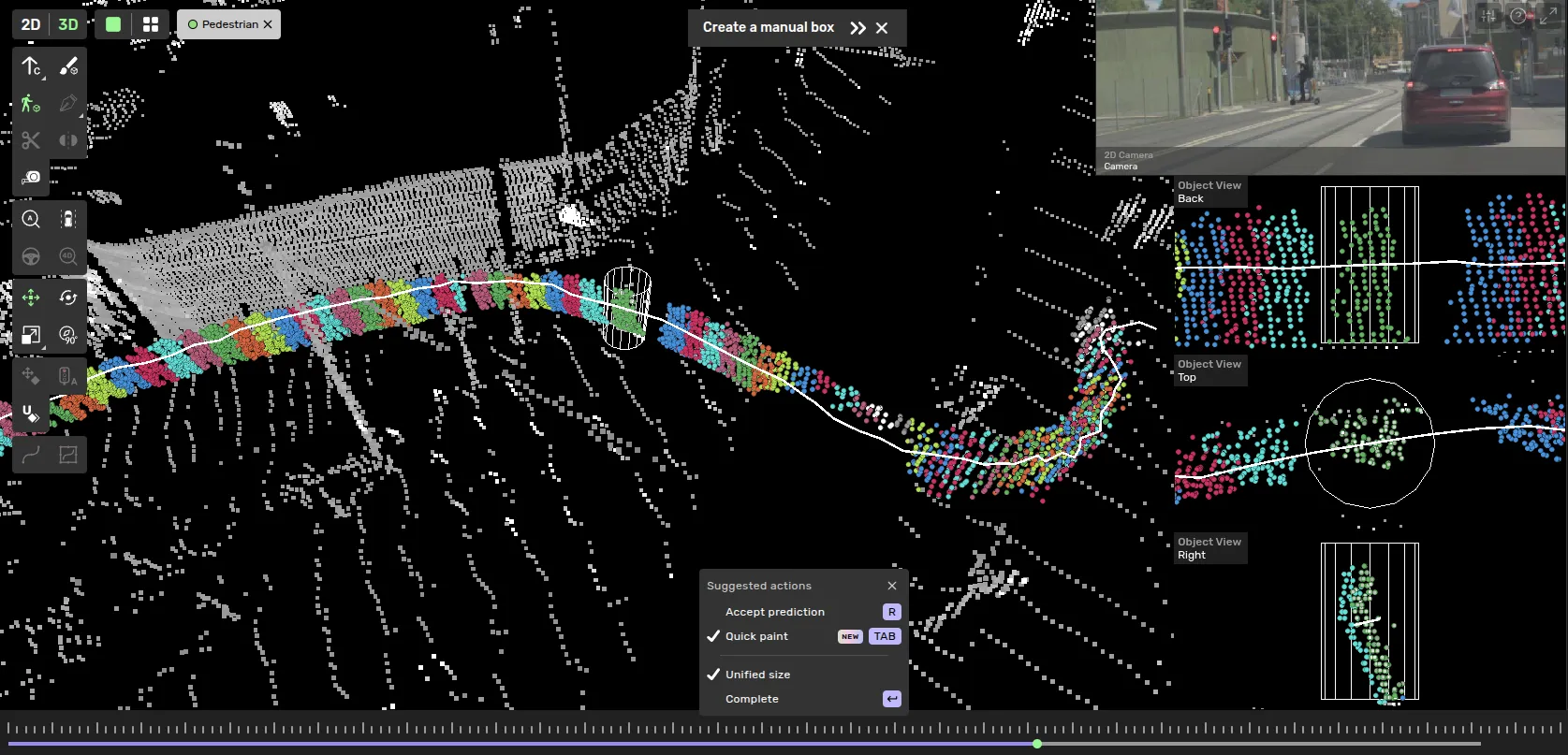
This is a draw tool specialized for creating cuboids in sequence of smaller moving objects such as pedestrians and cyclists. It works by encapsulating the points belonging to the object a cross the sequence using cylinders. The points are used to create a consistent trajectory of 3D boxes.
Drawing process
Select a class, (change drawing tool in the toolbar if another 3D box drawing tool is active)
Click to place a cylinder at the center location of the object.
Optionally - Adjust the height positioning of the cylinder in the side cameras.
Optionally - Click on a prediction if available.
Step to the next frame (or 0.5-1 seconds forwards) and repeat step 2.
Optionally use Quick paint. Press tab to activate. If the tracking looks good - click and drag across the highlighted points. If tracking is not good - repeat step 2 and 3 untill done.
Press 'enter' to complete.

You can change the radius of the cylinder with ctrl+scrolland you can change the height of the cylinder with alt+scroll
Quick paint
Quick paint lets you mark the object quickly across the sequence. This feature becomes available if you click on a prediction or after annotating two frames and utilizing the tracking in the drawing tool. Enable with tab and click and drag over the highlighted points.
When quick paint is active you cannot place cylinders. If you wish to adjust a frame, disable the Quick paint mode and move the cylinder.
If there are many pedestrians nearby one another - the tracking for Quick paint may struggle to correctly cluster the points. So you you may have to place the cylinders around each object manually across the sequence.
You can still use quick paint to quickly mark the inbetween frames after you have placed cylinders with some spacing in time.

Unified size
Depending on the guide line you may need to create boxes of varying size or consistent size for pedestrians. You can toggle this behavior. Using unified size the maximum extent of the marked points will be set as the size across all frames. If Unified size is set to false all frames will be keyframes and as the extent of the points change the size of the box will as well.
