Attach images
It is possible to attach images to feedback. This can be done in order to clarify some issue or to reference a guideline, or to improve the feedback by providing examples of how a particular object should be annotated.
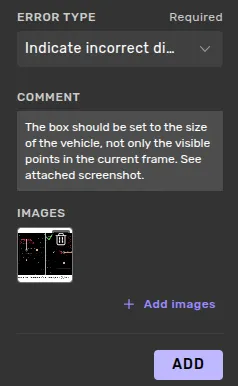
Reviewers may attach at most 10 images per feedback item, the file formats allowed are .png, .jpg/.jpeg, and .gif. Please note that animated .gif files will not play as they are encoded as .png in the backend for security reasons, only the first frame will be visible to an annotator. Images may be at most 8MB. Images can be added by clicking the + Add images link or by drag-and-dropping files to the + Add images link, or by pasting image data from your clipboard when adding or editing feedback. Attached images can be deleted by clicking the bin icon in the image's thumbnail. It is possible to add and delete images when the feedback item is being created or edited.
Viewing images
When an image thumbnail is clicked, the image is shown in a viewer. If several images are attached to the feedback item is is possible to cycle between them using the arrow keys, or by clicking the < and> buttons in the image viewer.
The image viewer can be closed by pressing the X button at the top right in the image viewer or by pressing the esc key.
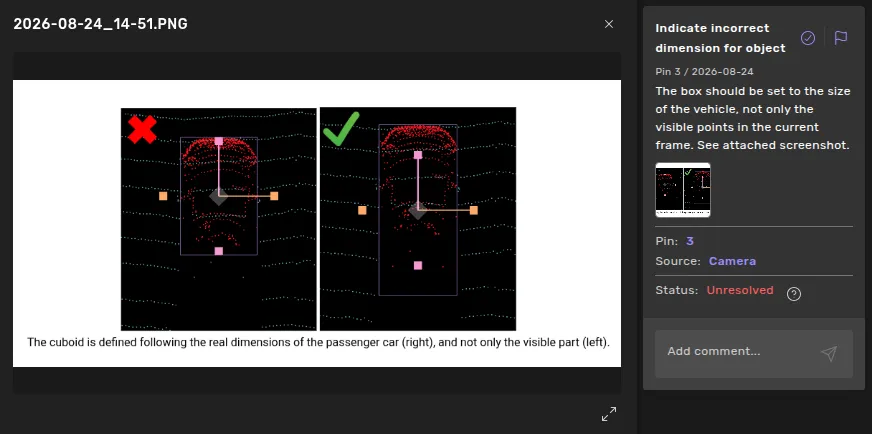
The size can be increased by toggling the maximize state, by pushing the buttom at the bottom right of the image viewer.