Action assist: 2D Boxes
In tasks where you shall annotate 2D boxes in sequence without a connected 3D box, Action Assist provides recommendations in the 2D view. Action assist for 2D boxes works when you have geometry collections with bounding boxes or prelabels.
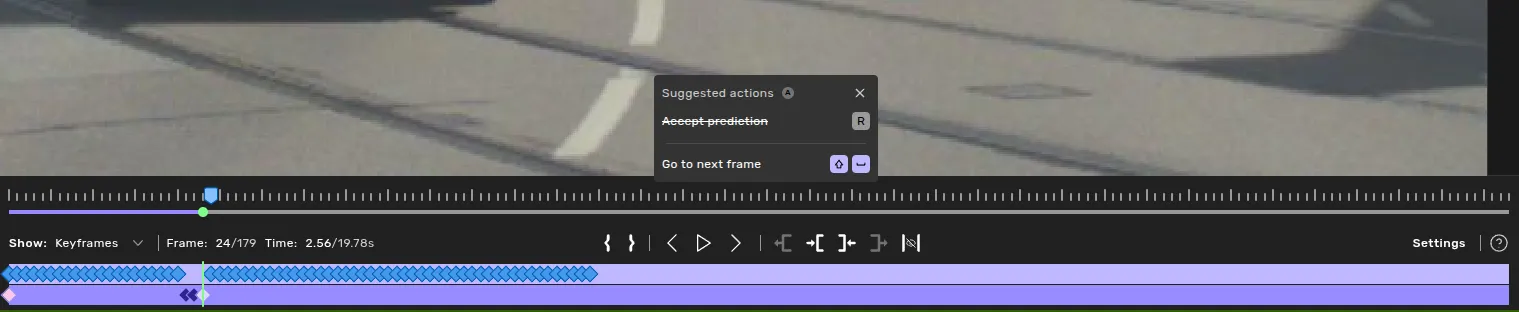
You will be guided through the currently selected camera to each frame where there are predictions, marked with the blue "attention frame" markers in the videobar. When updating with incorrectly tracked predictions the attention frames may update as you go.
Workflow
Draw an object.
- If you have predictions, use Copilot to draw it or you will not get any guidance.
- If the object is a part of a geometry collection and you do not have predictions - draw the object manually.
Press shift+space to jump to the first frame that needs a box, then R to accept the suggestion — or turn on Auto-accept and just press shift+space through the sequence.
Adjust any boxes that don't look right; subsequent suggestions in nearby frames will follow your adjustment.
- If the prediction is incorrectly tracked, simply shift+click the correct prediction and action assist will follow that one instead.
Repeat step 3 and 4 until the video bar shows no more highlighted frames for the object. Verify that the start and end frames are marked correctly.
How it works
When working with predictions, action-assist will follow the latest accepted prediction working outwards from the first keyframe. So if the tracking changes object incorrectly simply accepting another prediction will make sure action assist follows that one instead for future frames.
When working with objects in geometry collections, such as the light bulb of a traffic light. Action-assist will predict a bounding box in future frames based on the relative location of latest keyframe within the geometry collection. As you make adjustments the latest information will be used to predict the next location - making changes due to perspective shifts generally small.
Suggested actions
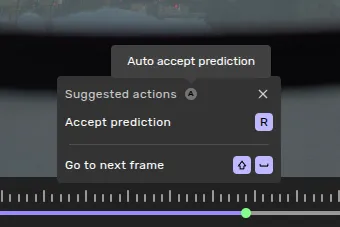
The Action Assist panel shows the next recommended step for the selected object.
- Go to next frame - shift+space
- Jumps to and zooms into the next frame that needs a box. Marks the previous frame as visited.
- Accept prediction - R
- Accepts the suggested box in the current frame as a keyframe.
Auto-accept
Toggle Auto-accept in the Action Assist panel to accept predictions as you navigate, so a single shift+space accepts the current suggestion and moves to the next frame in one step. Useful when the suggestions look consistently good and you only need to step through to confirm. Toggle location is subject to change.
Things to know
The assist walks forward from your last keyframe until the end of the sequence, then backward from your first keyframe to the start — stopping automatically at frames marked first/last for the object.
- Visited frames are remembered. Once you step past a frame, the assist won't loop back to it for the same object. Switching objects resets the visited list for the new object.
Related content