What's new?
Video in Knowledge Base documents
2026-08-18
Knowledge Base documents can now contain video. In the editor, type / and pick Video to see the supported formats and size limit, then choose a file from your computer — upload progress shows in the menu, and Escape cancels it. The video plays with normal controls wherever the document is read: the editor preview, the Campus viewer, and the Knowledge Base in the annotation tool.
Learn more about how to create Knowledge base Knowledge Base documents.
Client QA phase for Kognic Standard Workflow
Released 2026-04-21
A new Client QA phase is now available for requests using Kognic Standard Workflow. The client reviews a sample of annotations and submits a quality verdict. The producer reviews the assessment, and together they align before any rework starts. The phase includes sampling tools, feedback-based quality metrics, and acceptance rates tracked in the platform.
Learn more about Client QA.
Copy workforce members to/from another request
Released 2026-03-10
You can now copy a workforce setup from one request to another. Copied members retain their task allocation type and matching workflow stages; stages that don't exist in the target request are skipped. You can also copy the current request's workforce to one or more other requests at once.
Learn more about managing your request workforce.managing your workforce.
Notification inbox
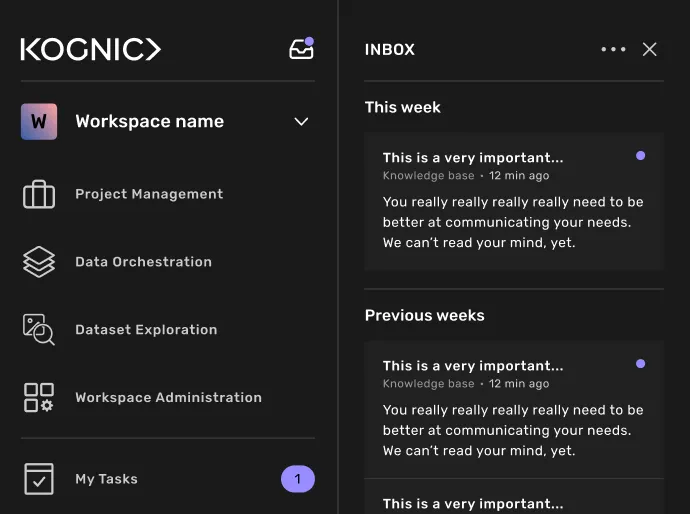
Released 2026-02-24 You can now see all your notifications in one location with the new notification inbox. Simply click the inbox icon in the navigation header to open a slide-out panel listing all notifications. A dot on the icon indicates unread notifications, and you can mark all as read or filter to display only unread items.
Currently, the inbox only supports one notification type: Knowledge Base documents.
Iterated left-side menu design
Released 2026-01-28
The following changes have been made to the left-side menu
- The account menu has been replaced with a more menu at the bottom of the screen. Click the three dots to open the context menu.
- The profile page has been removed. To update your profile picture, username, and password, navigate to the more menu.
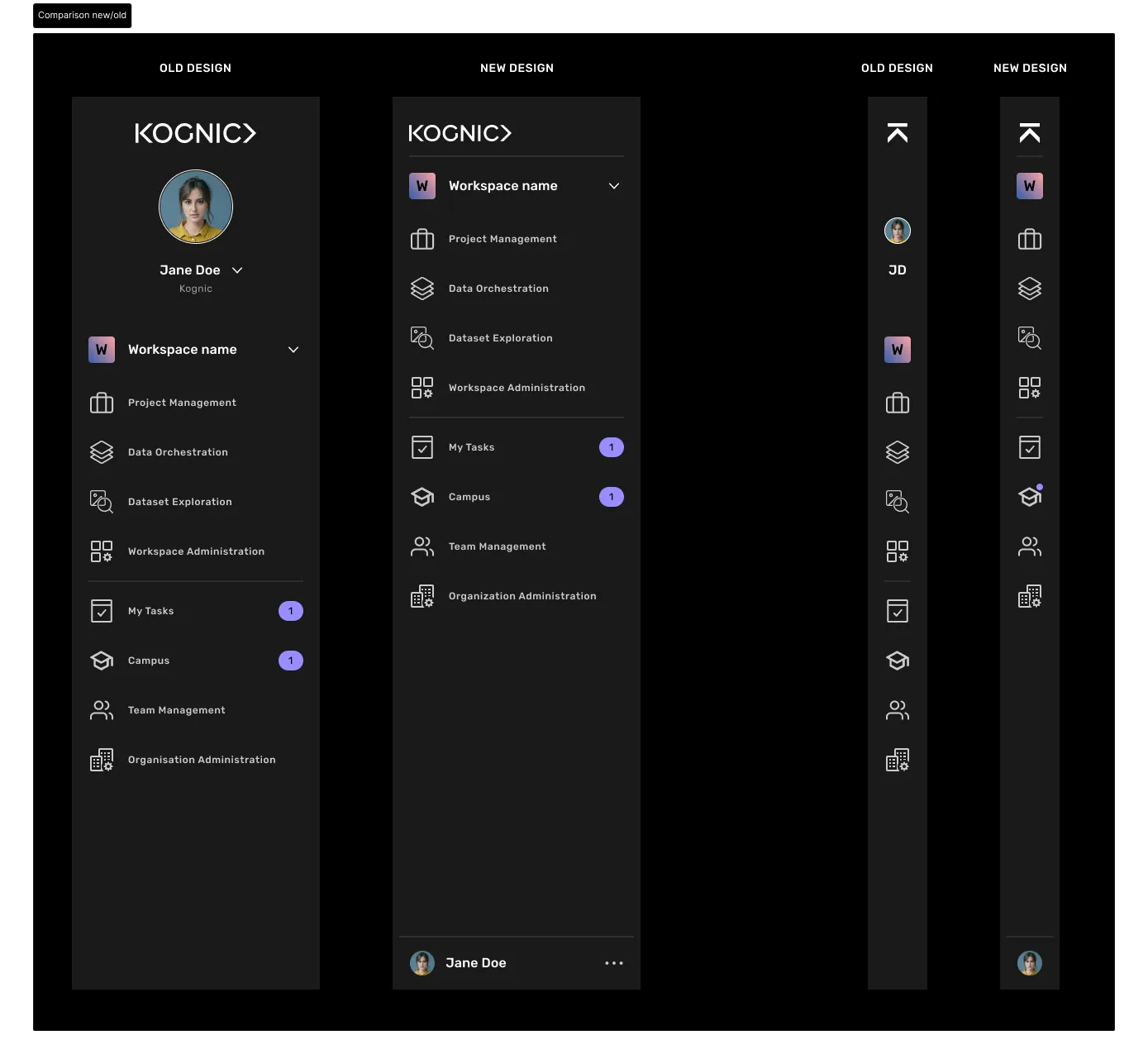
The updates have been made as a preparation for upcoming menu additions.
Knowledge base
Released 2026-01-20
If you have access to the project page, you can now write and share documents with teams or individual users.
If you receive a push notification, a document has been shared with you. You can open the document on the Campus page or via the Task view.
Learn more about writing documents: Knowledge base Learn more about reading documents: Knowledge base Learn more about the Push notification
Knowledge base (beta test)
Released 2025-12-17
We have assigned one quality manager to write feedback documents through our new Platform editor.
If you see a document on the Knowledge Base page in Campus, it has been specifically sent to you (or the team you're in). It is essential that you read the document, as it contains feedback and information intended for you.
Learn more by reading the Knowledge base page.
Quick-feedback
Released 2025-11-17
Setting up quick feedback options in your project can speed up your review process. It helps reviewers give standardized feedback quickly without having to type everything out.
Learn more about how to add quick-feedback options: Quick-Feedback.
Learn more about how to use quick-feedback in the task view: Quick-feedback.
Pausing tasks
Released 2025-11-11
Pausing a task lets you start a new one without submitting your current work. This is helpful when you need someone else's guidance to complete your current task.
Learn more about pausing tasks and its limitations in the 🙋🏼♀️ Guide: Pausing tasks.
Default request workflows
Released 2025-09-17
Ensure process consistency in your project by configuring a default request workflowrequest workflow. You can set this up in the Projects settings under the General tab.
Once you've applied a default workflow to your project, all newly created requests will automatically use this workflow. There's one exception: when you create a request using the "Use as template" feature, the new request will inherit the original request's workflow instead.
Read more in Project settings.
