User settings
4 min
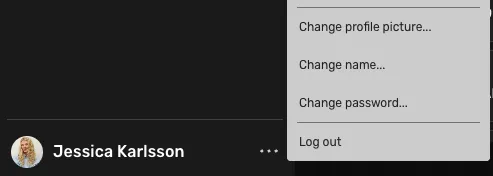
To change your username, password, or profile picture, open the more menu at the bottom of the left sidebar.
How do I change my username?
Open the more menu
Select "Change name"
Edit the first or last name
When you're ready, press "Update" to complete the name change.
How do I change my profile picture?
To change your profile picture you:
Open the more menu
Select "Change profile picture"
Upload a picture from your computer or select an avatar.
When you're ready, press "Save image" to complete the profile picture change.
How do I change my password?
Open the more menu
Select "Change password"
Fill in your current password
Enter a new password. It should consist of at least 16 characters and include letters, numbers, and symbols.
Repeat the new password
When you're ready, press "Update" to complete the password change.